'%20fill-rule='evenodd'%20clip-rule='evenodd'/%3e%3crect%20x='104'%20y='162'%20width='48'%20height='6'%20rx='3'%20fill='%2358E5BB'/%3e%3crect%20x='111'%20y='88'%20width='15'%20height='15'%20rx='5.5'%20fill='%2358E5BB'/%3e%3crect%20x='130'%20y='88'%20width='15'%20height='15'%20rx='5.5'%20fill='%2358E5BB'/%3e%3crect%20x='111'%20y='107'%20width='15'%20height='15'%20rx='5.5'%20fill='%2358E5BB'/%3e%3crect%20x='130'%20y='107'%20width='15'%20height='15'%20rx='5.5'%20fill='%2358E5BB'/%3e%3c/svg%3e)
'%20fill='%2316181D'/%3e%3c/svg%3e)
'%20fill='%23F5F7F7'/%3e%3c/svg%3e)
Install Alcove on Windows
The download started automatically when you opened this page. Follow the steps below.
Last updated 2026-08-19
The installer for the latest release should start downloading on its own. If it didn’t, use the button below.
Want to see what changed? Read the changelog.
Step-by-step
1. Open the Downloads folder and find Alcove-setup.exe.
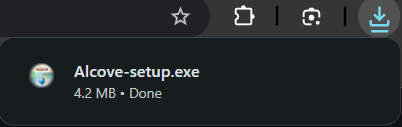
2. Double-click Alcove-setup.exe to start the installer.
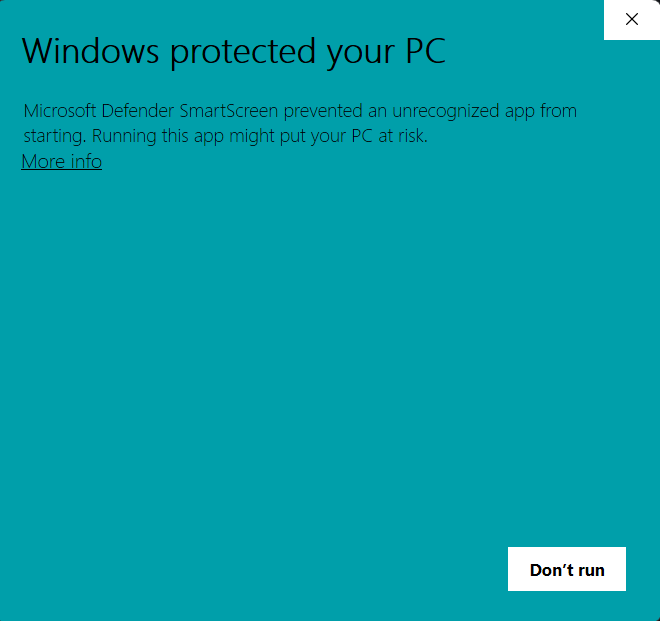
3. Windows SmartScreen may show a "Windows protected your PC" prompt. Click More info.
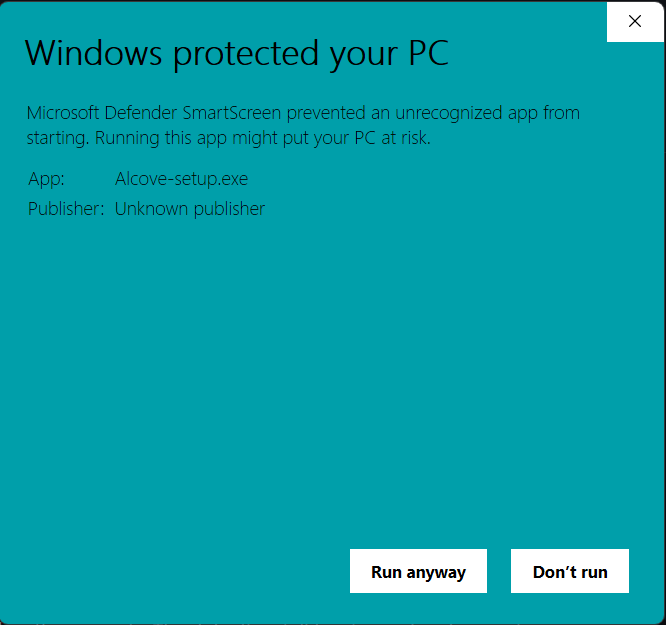
Current builds (v0.1.2) are not code-signed, so SmartScreen flags the installer. This is a signing gap, not a sign the file is malicious.
4. Click Run anyway.
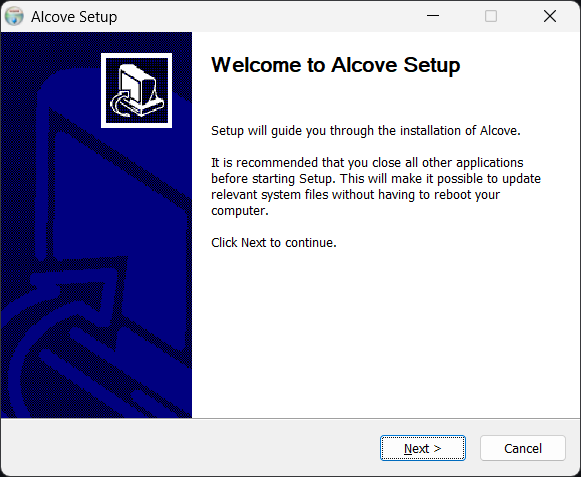
5. The installer opens. Click Next.
6. Pick the install location. The default is fine. Click Next.
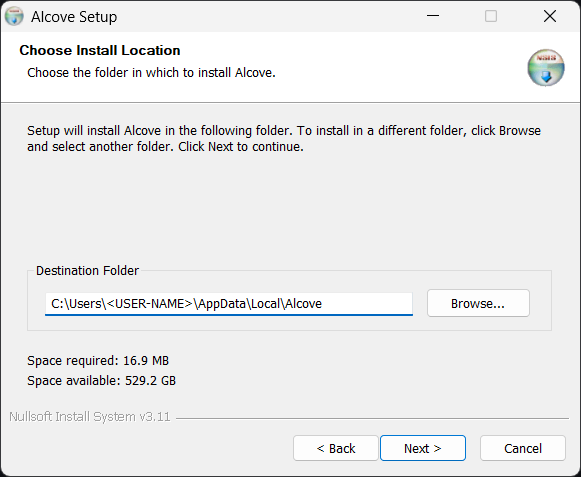
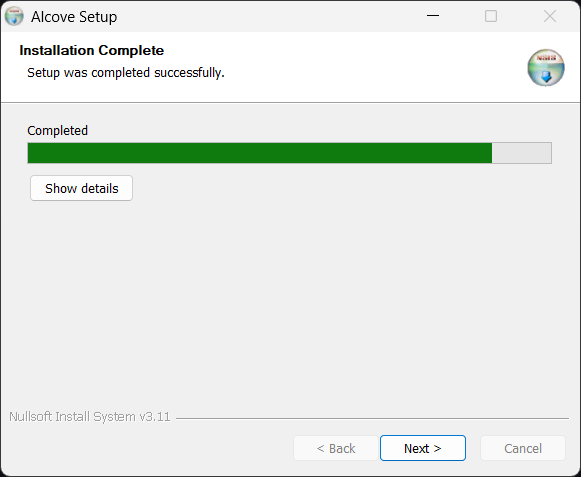
7. Click Install and wait for it to finish.
8. The finish screen has two options, both checked by default. Run Alcove launches the app as soon as you click Finish. Create desktop shortcut adds a shortcut on the desktop for launching it later. Leave them checked, or uncheck either if you'd rather not. Then click Finish.
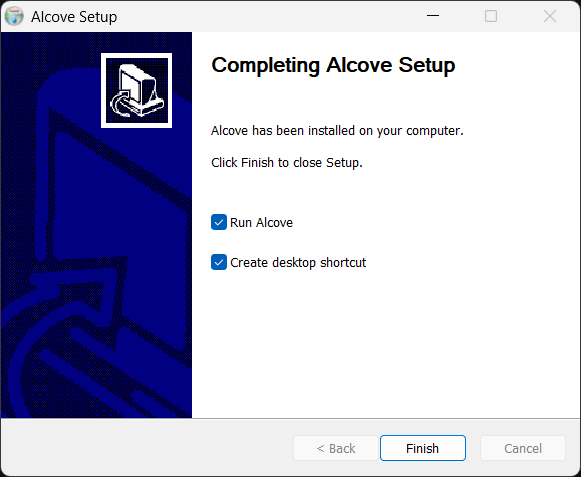
9. Open Alcove from the Start menu or the desktop shortcut. If you left Run Alcove checked in the previous step, the app is already open.
That’s it
Thanks for installing Alcove. Hope it makes your day a bit easier.
Feedback and criticism are both very welcome. If there's something you'd like built, just let me know - I'll get back to you as soon as possible. You can open an issue on GitHub here, or email iamincontrol.dev@gmail.com.
Release notes and verification
For the full release notes, the SHA-256 fingerprint (checksums.txt), and the list of files in this release, see the latest release page.
Trouble installing?
If something goes wrong, see the Support page for common issues and how to get help.